Your Server. Your Brand. Every Client in One Platform.
Install CMSPost on your agency’s compatible hosting environment, brand it as your own, and manage client onboarding, SEO content, website publishing, social media, communications, Google reviews, and reputation from one lightweight, modular, protected platform.
Home
•
Insights
•
Why Agencies Are Moving Toward Plugin-Free CMS Platforms
Plugin Free CMS
Why Agencies Are Moving Toward Plugin-Free CMS Platforms
By CMS POST INC
CMS Architecture
Why Agencies Are Moving Toward Plugin-Free CMS Platforms
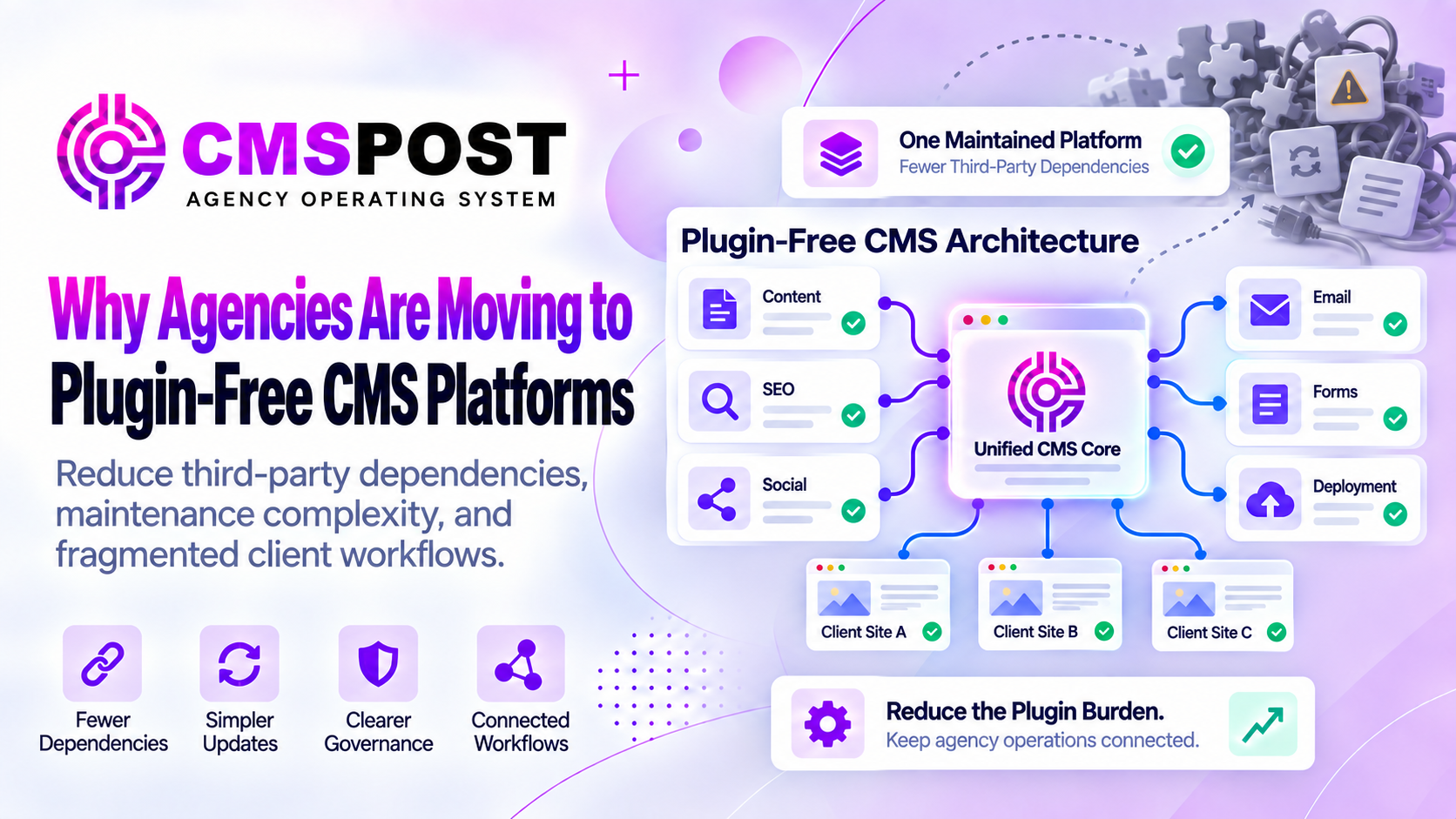
Plugins helped transform content management by allowing site owners to add capabilities without rebuilding an entire platform. They remain useful, and many are maintained by skilled developers. The agency problem begins when essential workflows depend on a different collection of installed extensions for every client. Forms, SEO, schema, redirects, security, caching, backups, social sharing, email connections, and page design can become a fragile chain of software relationships.
What Plugin-Free CMS Actually Means
A plugin-free CMS provides its intended core capabilities without requiring administrators to install a collection of third-party executable extensions into each website. The phrase does not mean the platform contains no modules, APIs, integrations, external providers, or custom templates. Modern publishing naturally connects with services such as email delivery, social networks, payment processors, analytics systems, and identity providers.
The meaningful difference is architectural responsibility. In a traditional plugin model, third-party code is added to the website application and often shares its runtime, database, administrator, and update process. In a plugin-free model, the vendor or platform developer owns the native workflow as part of the supported product.
Plugins Are Powerful—Until the Stack Becomes the Product
WordPress.org currently lists more than 72,000 free plugins, before counting commercial extensions sold elsewhere. That ecosystem is an extraordinary strength. Agencies can build ecommerce stores, memberships, directories, learning systems, multilingual websites, and specialized applications without starting from zero.
Flexibility changes into fragmentation when a routine business website depends on many unrelated vendors. One plugin creates the layout, another controls metadata, another inserts schema, another processes forms, another manages redirects, another adds caching, and another attempts to secure everything. The final website is no longer one supported product. It is a custom assembly whose behavior depends on every component continuing to cooperate.
That does not make the site automatically bad. It makes dependency management part of the agency’s service whether the agency prices that work explicitly or absorbs it.
The Agency Multiplier
Plugin burden is easiest to underestimate on one website. Across a portfolio, the arithmetic changes. Twenty client sites with fifteen extensions each create 300 plugin installations. Fifty sites create 750. Every installation may have its own version, license status, settings, compatibility history, and update behavior.
An agency must know which clients use which components, who owns each license, when renewals occur, whether automatic updates are enabled, what changed after an update, and how to restore the site if something fails. When a vulnerability notice arrives, the team must identify every affected installation quickly.
A plugin-free agency platform shifts the unit of maintenance. Instead of rebuilding and governing the same capability inside every client website, the agency can operate one supported workflow across separated client accounts.
Security: Every Extension Expands the Surface
A plugin runs code inside the application. It may read or write database records, process public requests, upload files, create administrator settings, connect to outside services, or expose API endpoints. Each capability can be implemented securely, but each also becomes part of the system’s attack surface.
Risk increases when an extension is abandoned, obtained from an untrusted source, left outdated, granted unnecessary permissions, or installed alongside conflicting software. WordPress’s own hardening and upgrade documentation emphasizes trusted sources, current versions, backups, permissions, and separate update handling for core, themes, and plugins.
Calling plugins “open doors” is too absolute: a maintained plugin is not an open door merely because it exists. The defensible statement is that every installed extension adds code and a dependency that must be governed. Reducing unnecessary extensions reduces the surface the agency must inventory, patch, test, and monitor.
Updates Create a Compatibility Decision
Delaying a security update can extend exposure. Installing an update immediately can create a compatibility problem if the extension interacts with a theme, builder, PHP version, database customization, or another plugin. Agencies therefore need backups, staging or testing procedures, monitoring, and rollback plans.
Automatic updates improve coverage but do not remove the need to verify outcomes. Manual updates provide control but demand labor and can be delayed. The challenge is not evidence that updating is wrong; it shows why assembling essential workflows from separately maintained components creates ongoing operational work.
Plugin-free architecture consolidates responsibility for native features. The platform can test those features as one release and document one supported environment. Custom code and external APIs still require care, but the base workflow has fewer independent release cycles.
The Subscription Stack Hides the True Cost
Open-source CMS software may be free to download while a production configuration carries annual licenses for a builder, theme, forms, SEO, security, backups, optimization, ecommerce, spam filtering, and integrations. Some vendors price by site, while agency licenses occupy higher tiers.
The visible renewal total is only part of the cost. Agencies also spend time updating payment methods, transferring licenses, resolving activation limits, opening tickets with different support teams, testing upgrades, and replacing products that change ownership or stop development.
A native platform subscription is not automatically cheaper, but it is easier to evaluate when core capabilities and limits are clear. Agencies should compare total portfolio cost: software, hosting, services, maintenance labor, incident recovery, training, and client support.
Performance Can Suffer From Accumulated Features
Plugins do not all slow websites, and plugin count alone is an incomplete measurement. One poorly designed extension can create more database work or browser code than several focused extensions. The theme, images, hosting, caching, fonts, scripts, and third-party tags also shape performance.
The cumulative pattern still matters. Extensions can add CSS, JavaScript, database queries, scheduled tasks, external requests, and administrator processes. Overlapping products may load code on pages where it is unnecessary. Another optimization plugin may then be installed to compensate for the existing stack.
Our guide to lightweight CMS architecture explains why installation size, runtime work, browser payload, dependencies, and operational overhead should be measured separately.
Standardization Improves Client Support
Agencies scale through repeatable systems. If every client website has different editing controls, SEO fields, form builders, social connectors, and backup procedures, the team cannot rely on one training process. Documentation fragments, new staff take longer to onboard, and routine changes require site-specific investigation.
A plugin-free platform can establish one vocabulary and one workflow while maintaining client isolation. The agency learns where content, metadata, users, connections, and activity live. Clients receive an environment designed around their role rather than access to an administrator containing unrelated technical controls.
Standardization does not require identical websites. Templates and delivery methods can preserve brand differences while the underlying agency process remains consistent.
What Agencies Should Demand From Plugin-Free Software
Requirement
Question to ask
Native completeness
Do the included features cover the workflows the platform promises?
Security ownership
Who patches the application, manages access, and communicates vulnerabilities?
Portability
Can content, metadata, media, and client data be exported usefully?
Deployment
Must every website be rebuilt, or can existing environments remain?
Integration boundaries
Which functions rely on outside APIs, vendors, quotas, or usage charges?
Recovery
How are backups, revisions, failures, and rollbacks handled?
Plugin-free should be a transparent operating model, not merely a slogan. Buyers should understand what is native, what is connected, what is still developing, and which responsibilities remain with the agency.
CMSPost’s Plugin-Free Agency Model
CMSPost was designed so common agency workflows do not require a traditional extension stack on every client domain. It organizes isolated client accounts, blogs, website pages, Service Area content, metadata, advanced schema, social connections, email marketing, forms, users, themes, and publishing history within one connected platform.
Rendered output, embedded delivery, Mirror Mode, static output, and the Theme Engine give agencies options for working with compatible existing websites. CMSPost can act as the content and marketing control layer instead of forcing every client to use the same public website system.
CMSPost still uses external providers where the outside network owns the service, and it still requires secure hosting, updates, backups, monitoring, and responsible administration. Its promise is focused: plugin free—built for agencies. Agencies exploring broader architecture can also read our guides to headless CMS and lightweight CMS platforms.
Frequently Asked Questions
What is a plugin-free CMS?
A plugin-free CMS provides its intended core workflows without requiring administrators to install a collection of third-party executable extensions into every website.
Does plugin-free mean there are no integrations?
No. A plugin-free platform can still connect with social networks, email providers, payment processors, analytics services, and APIs. The distinction is that core workflows do not depend on a local stack of installed extensions.
Are all CMS plugins unsafe?
No. Many plugins are professionally maintained and valuable. Risk grows when organizations add unnecessary, outdated, abandoned, untrusted, or overlapping extensions without consistent governance.
Is a plugin-free CMS maintenance-free?
No. Every CMS still requires secure hosting or vendor oversight, software updates, backups, monitoring, access management, and incident-response planning.
Why is plugin-free architecture useful for agencies?
Agencies repeat maintenance across many clients. Reducing per-site extension stacks can simplify updates, licensing, compatibility testing, security response, training, and support across the portfolio.