Your Server. Your Brand. Every Client in One Platform.
Install CMSPost on your agency’s compatible hosting environment, brand it as your own, and manage client onboarding, SEO content, website publishing, social media, communications, Google reviews, and reputation from one lightweight, modular, protected platform.
Home
•
Insights
•
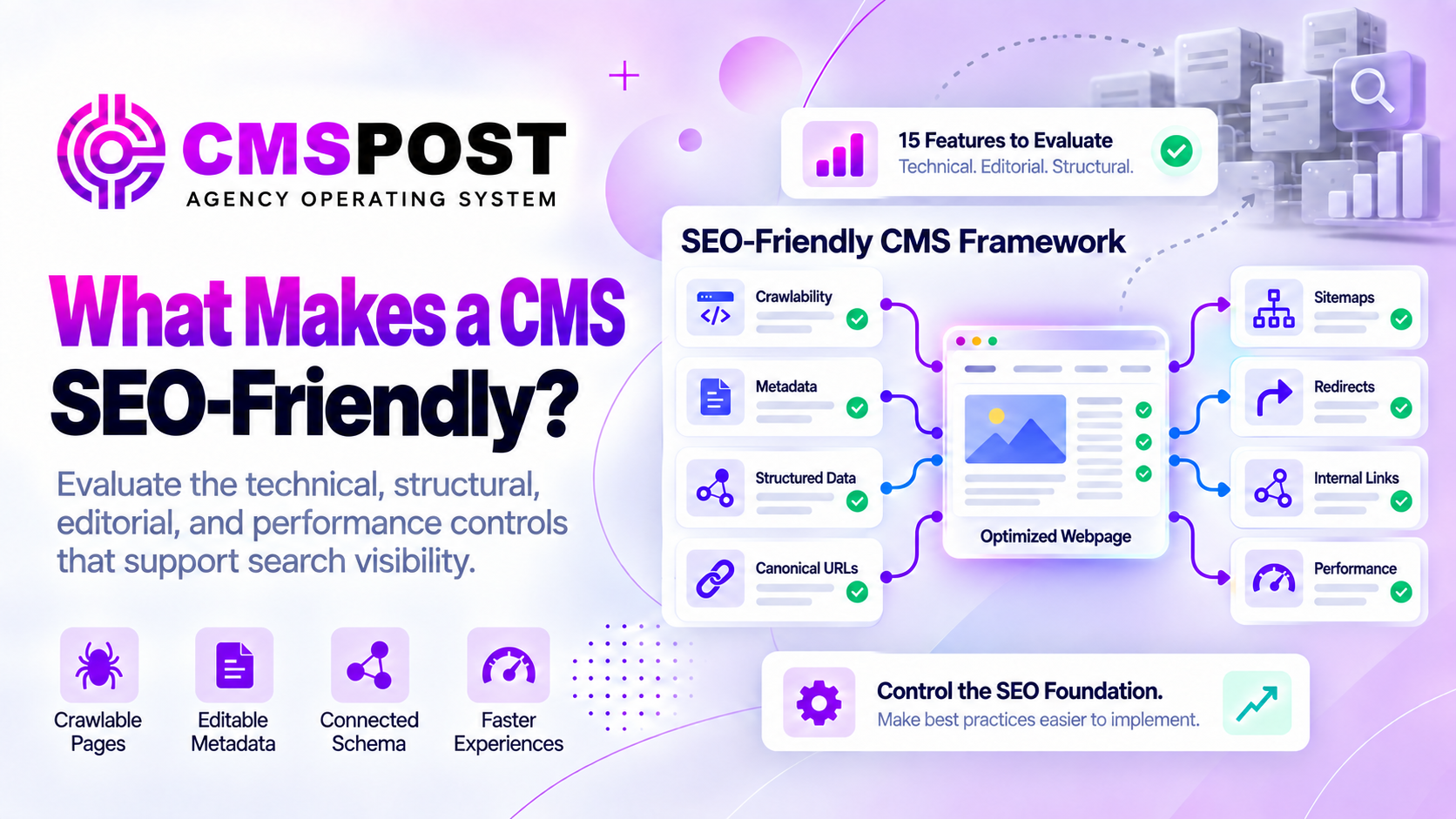
What Makes a CMS SEO-Friendly? 15 Features Agencies Should Evaluate
SEO Friendly
What Makes a CMS SEO-Friendly? 15 Features Agencies Should Evaluate
By CMS POST INC
SEO & Search
What Makes a CMS SEO-Friendly? 15 Features Agencies Should Evaluate
An SEO-friendly CMS does more than provide a box for a keyword and a meta description. It gives content teams reliable control over how pages are created, rendered, discovered, crawled, understood, indexed, moved, measured, and maintained. Google makes clear that no platform can guarantee first-place rankings. The CMS should remove technical barriers and support useful, accessible, well-organized content without forcing agencies to fight the software.
SEO-Friendly Is a System, Not a Badge
CMS vendors often describe their platforms as optimized for search, but that claim can mean anything from automatic title tags to an enterprise technical-SEO toolset. Agencies should test the actual output and workflow. Can an editor control the preferred URL? Does schema match visible content? Are deleted pages redirected? Can search engines access the same essential resources users receive?
The strongest CMS combines technical controls with editorial governance. It makes the correct action easy, prevents common mistakes, and allows specialists to override defaults when a real strategy requires it.
1. Crawlable and Indexable Output
A published page must produce content search engines can access. Important text and links should not depend on blocked resources, private API calls, fragile browser events, or authentication. JavaScript sites can rank, but rendering must be implemented and tested carefully. A CMS should also make draft, staging, search-result, filter, and account pages controllable so unwanted URLs do not enter the index.
2. Editable Titles and Meta Descriptions
Every indexable page should support a unique, descriptive HTML title and useful meta description. The visible heading and title tag may serve related purposes without being identical. Templates should provide sensible fallbacks while allowing intentional editing. Google may generate its own title link or snippet, but good source metadata gives the system clearer information.
3. Clean and Stable URL Control
Editors should create readable slugs without random identifiers or unnecessary parameters. More importantly, URLs should remain stable. Changing a headline should not silently change an established address. The CMS should warn users when editing a published slug and connect that change with redirect management.
4. Canonical URL Management
Similar content may appear through categories, tags, parameters, print views, syndication, or multiple domains. Canonical controls help identify the preferred URL. The CMS should generate self-referencing canonicals by default and allow controlled overrides. Canonical signals must agree with redirects, sitemaps, internal links, and indexation settings rather than contradict them.
5. Robots and Indexing Directives
SEO teams need deliberate control over `index`, `noindex`, link-following behavior, and preview directives. These settings should be protected from casual changes and separated from robots.txt crawl rules. Blocking crawling is not the same as requesting that a page stay out of search results.
6. XML Sitemap Management
A CMS should generate current XML sitemaps containing canonical, indexable URLs and remove deleted or excluded pages. Large sites may need sitemap indexes organized by content type. Google explains that sitemaps can help discovery, although they do not replace crawlable internal links or guarantee indexing.
7. Redirect Management
Agencies need permanent redirects for changed URLs, migrations, consolidated content, and retired campaigns. Redirect chains and loops should be detectable. The system should preserve query strings when appropriate, prevent accidental conflicts, and give administrators a record of what changed.
8. Structured Data Control
Schema markup should describe the page accurately using relevant types such as Article, Organization, BreadcrumbList, Product, LocalBusiness, or FAQPage when the visible content supports them. A strong CMS connects entities with stable `@id` references and keeps schema synchronized with titles, dates, authors, images, FAQs, and business information.
Structured data is not a place for invisible claims. Google’s guidelines require markup to represent visible page content and comply with the rules for the selected search feature. Valid schema can improve understanding and eligibility, but it does not guarantee a rich result.
9. Semantic Content and Heading Structure
Editors should be able to create organized text, lists, tables, quotations, captions, and descriptive links without inserting broken markup. Templates should use semantic landmarks and accessible components. Clean structure helps users, assistive technology, search systems, and AI retrieval tools understand relationships within the page.
10. Internal Linking and Content Relationships
Search engines discover many pages through links. A CMS should make related content easy to find and link with meaningful anchor text. Topic clusters, breadcrumbs, categories, service relationships, and geographic hierarchies should create useful navigation rather than isolated pages. Agencies also benefit from broken-link reports and orphan-page detection.
11. Image and Media Optimization
The platform should support descriptive alternative text, useful filenames, responsive images, explicit dimensions, modern formats, compression, captions, and media sitemaps where relevant. Large images should not be served at original dimensions when a smaller version would work. Lazy loading can help below the fold but should not delay the primary visual unnecessarily.
12. Page Performance and Core Web Vitals
Google’s Core Web Vitals measure real-world loading performance, responsiveness, and visual stability through LCP, INP, and CLS. A CMS cannot control every design choice, but it should avoid unnecessary scripts, unstable layout, excessive database work, and redundant dependencies. Templates, hosting, caching, fonts, images, consent tools, analytics, and integrations must be evaluated together.
A lightweight CMS can create a better starting point, but only measurements from representative pages reveal actual performance.
13. Local and Geographic Content Organization
Local agencies need more than a generic page editor. The CMS should organize businesses, services, locations, service areas, contact information, maps, calls to action, and internal links without creating uncontrolled duplication. Geographic pages must contain useful market-specific information, not merely swapped city names.
Reusable business data can improve consistency, while per-page fields allow meaningful differences. Relevant local schema must match the real organization and visible content rather than manufacturing locations or ratings.
14. Publishing Governance and Revision Safety
SEO problems often come from workflow, not missing features. Role-based access, drafts, previews, approvals, scheduled publication, revision history, and rollback options protect important pages. Agencies should control who can change URLs, canonicals, robots directives, templates, and schema.
Multi-client systems need another boundary: users must not publish into the wrong domain or reuse one client’s business data in another account. Reliable isolation is an SEO and operational requirement.
15. Measurement, Validation, and Portability
An SEO-friendly CMS should work with Search Console, analytics, log analysis, schema validators, performance tools, and accessibility testing. Publishing should create useful status records so agencies can confirm what happened and diagnose failures.
Portability matters too. Content, metadata, media references, redirects, and structured fields should be exportable in a usable form. A platform becomes less SEO-friendly if leaving it requires abandoning years of URLs and optimization work.
How to Test a CMS Before Committing
Test
What to verify
Publish
Inspect rendered HTML, metadata, schema, canonical, robots directives, and status code
Change a URL
Confirm a correct redirect and updated internal references
Duplicate content
Verify canonical and indexation behavior across variants
Mobile performance
Measure field and laboratory data on realistic templates
Remove content
Confirm sitemap removal, status behavior, and replacement strategy
Export
Confirm content and SEO fields remain usable outside the platform
How CMSPost Supports Agency SEO Workflows
CMSPost organizes blogs, core website pages, and Service Area content inside isolated client environments. Metadata and advanced schema can remain attached to each content record. The platform’s purpose is to let an agency repeat a controlled SEO publishing process across multiple domains without recreating a traditional plugin stack for every client.
Rendered delivery, embeds, Mirror Mode, static output, and the Theme Engine give agencies several ways to connect managed content with compatible existing websites. Client users, domains, social connections, email activity, forms, and publishing records stay attached to the correct business.
CMSPost does not guarantee rankings, and deployment still requires validation. Agencies should inspect live metadata, schema, canonicals, redirects, status codes, responsive layout, and page performance after publishing. Its advantage is operational: a focused, plugin-free CMS workflow designed around multiple clients.
Frequently Asked Questions
What is an SEO-friendly CMS?
An SEO-friendly CMS gives users reliable control over the technical, editorial, structural, and performance elements that help search engines discover, crawl, understand, index, and present content.
Does an SEO-friendly CMS guarantee rankings?
No. A CMS can remove technical barriers and support best practices, but rankings also depend on content quality, relevance, authority, competition, user experience, links, and ongoing strategy.
Is schema markup required for every page?
No. Structured data should use relevant supported types and accurately match visible page content. Adding unrelated or misleading schema does not make a page more useful.
Why are canonical URLs important in a CMS?
Canonical controls help identify the preferred URL when similar or duplicate content is accessible through multiple addresses, reducing ambiguity for search engines.
Which CMS features matter most for local SEO agencies?
Local SEO agencies benefit from structured service-area content, reusable business information, metadata, appropriate schema, internal linking, stable URLs, redirects, client isolation, and scalable publishing governance.
Tags:SEO Friendly CMSCMS SEOAgency SEO friendly CMS Platformcontent management system seo friendlym
C
cmspost.com Editorial Team
Helpful perspectives, practical guidance, and resources published for our readers.